
I’ve been running a Levoit air purifier in my living room for several months now, and I’ll be honest the first time that red filter light came on, I panicked a little. My first instinct was to order a replacement filter immediately. But after pulling the unit apart and taking a good look at it, I realized the filter just needed a proper clean. If you’re in the same situation and searching for how to clean Levoit air purifier filter the right way, you’re in the right place. I’ve gone through this process multiple times, and in this guide I’ll walk you through every step including how to reset that annoying red light when you’re done.
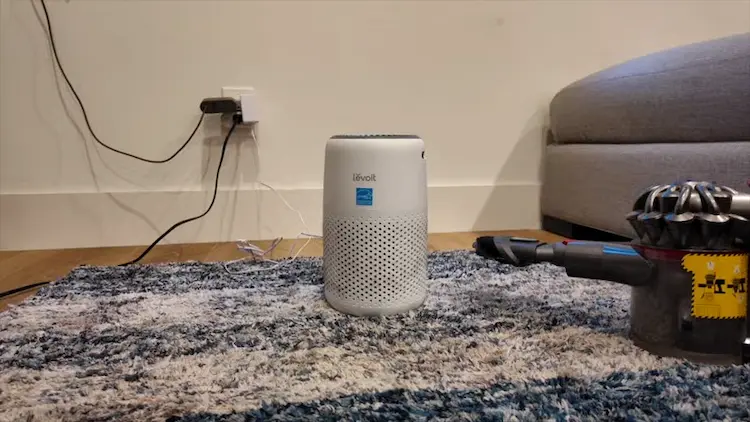
Quick note: This guide is based on my hands-on experience with the Levoit Core 300 (the compact cylindrical model). The process is nearly identical for most Levoit models, but always check your manual for model-specific instructions.
Why Cleaning Your Filter Actually Matters
Before we get into the steps, let me show you why this isn’t something you want to skip.
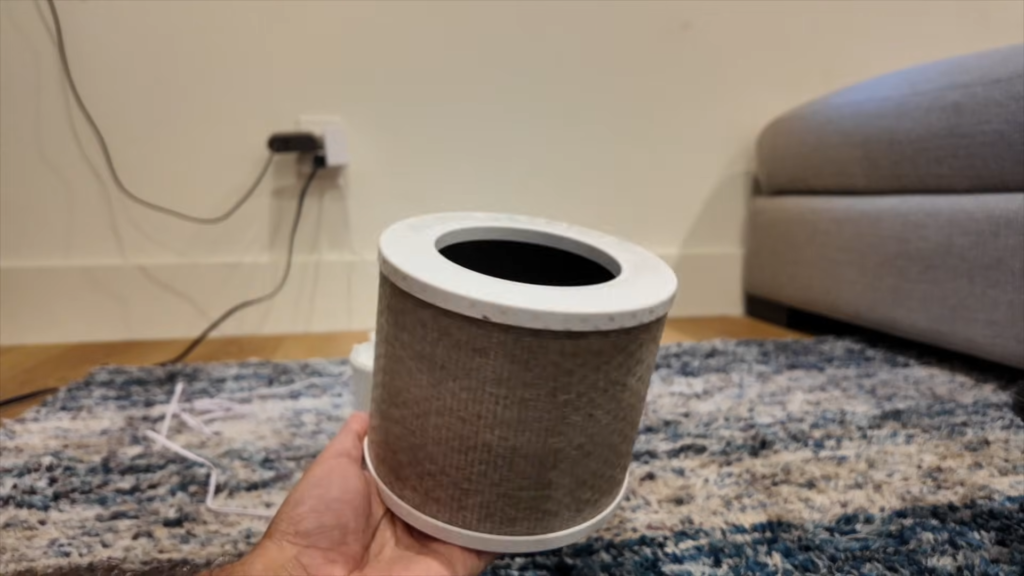
The filter pulled from my Levoit after a few months of use that dark coating is dust, pet dander, and airborne particles.
Look at that. The filter outer layer was completely caked with dust and debris. At this stage, airflow through the unit had dropped noticeably the fan was working harder, efficiency was down, and indoor air quality was suffering despite the purifier running 24/7.
The good news? A thorough cleaning brought it back to near-new performance. Here’s how I did it.
What You’ll Need
- A soft-bristle brush or old toothbrush
- A vacuum cleaner with a brush attachment
- A clean, dry microfiber cloth
- Compressed air (optional but very helpful)
Do NOT use water on the HEPA layer. I can’t stress this enough wetting a True HEPA filter destroys its fiber structure and renders it useless. More on this below.
Step-by-Step: How to Clean a Levoit Air Purifier Filter
Step 1: Turn Off and Unplug the Unit
Always start here. Never attempt to remove or handle the filter while the unit is running or plugged in. Give it 5 minutes after switching off before opening it up.
Step 2: Remove the Filter
On the Levoit Core 300, you simply twist the bottom cap counterclockwise and lift the filter straight out. It’s a cylindrical 3-in-1 filter that combines a pre-filter, a True HEPA layer, and an activated carbon layer all in one unit.
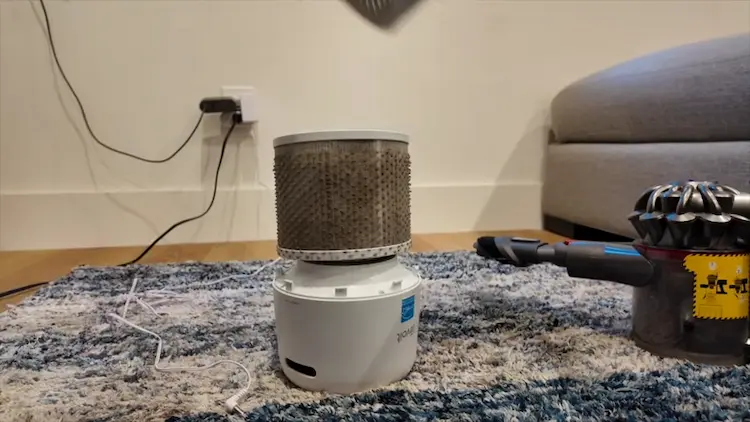
The base of the unit with the filter removed. The pre-filter mesh on the outside is what you can safely clean.
Step 3: Vacuum the Pre-Filter Layer
The outermost layer is the pre-filter this is the part that catches larger particles like dust, hair, and pet fur. It’s also the only part of the filter you should actively clean.
Using your vacuum’s brush attachment, gently run it along the outer surface of the filter in slow, vertical strokes. Don’t press hard the goal is to lift dust off the surface, not compress it deeper into the filter.
I like to do this outside or over a trash bag. You’ll be surprised how much comes off.
The 3-in-1 filter after vacuuming. The outer pre-filter layer is visibly cleaner, though the inner HEPA media cannot be washed.
Step 4: Use Compressed Air for Deeper Cleaning
If you have a can of compressed air, this is the time to use it. Hold the can about 6 inches from the filter surface and blow air through the pre-filter mesh in short bursts. This dislodges embedded particles that the vacuum can’t reach.
Work in sections, rotating the filter as you go.
Step 5: Wipe Down the Unit Interior
While the filter is out, take a dry microfiber cloth and wipe down the inside of the purifier housing. Dust accumulates on the inner walls and air intake vents. A quick wipe-down ensures you’re not just putting a clean filter back into a dirty machine.
Step 6: Reinstall the Filter
Once you’re satisfied the pre-filter surface is clean, slide the filter back into the unit and twist the base cap clockwise until it clicks into place.
The unit fully reassembled and back in position. Clean filter, fresh start.
How to Reset the Red Filter Light
After cleaning (or replacing) the filter, the red indicator light on your Levoit won’t reset automatically. You need to do it manually:
- Make sure the unit is plugged in and powered on
- Press and hold the filter reset button (on the Core 300, this is the check/filter icon button on the top panel) for 3-5 seconds
- The red light will turn off, confirming the reset
That’s it. The unit’s internal timer is now reset and will start counting again from zero toward the next filter check reminder.
Can You Wash a Levoit HEPA Filter With Water?
No, and this is a common mistake that permanently damages the filter.
The True HEPA layer works by trapping particles in a dense web of glass fibers. Water causes these fibers to clump and collapse, which creates gaps that allow contaminants to pass straight through. A wet HEPA filter is effectively a broken filter.
The pre-filter layer (outermost mesh) can be gently wiped with a damp cloth on some models check your specific model’s manual. But the inner HEPA media? Keep it dry, always.
For a full comparison of washable vs. non-washable filter types across brands, check out our guide on Best Air Purifiers for Allergies over at AirPurifiersHub.
How Often Should You Clean Your Levoit Filter?
Based on my usage, here’s what I’ve found works well:
| Condition | Cleaning Frequency |
|---|---|
| Normal home use (1–2 people) | Every 2–3 months |
| Pets in the home | Every 4–6 weeks |
| High dust / construction nearby | Every 2–4 weeks |
| Heavy smoke or wildfire season | Every 2–3 weeks |
The red light is a timer-based reminder (typically set to trigger every 2,000 hours of use), not a sensor that detects actual filter condition. In high-pollution environments, the filter may need attention before the light even comes on.
One thing worth mentioning: flat-panel models like the Levoit LV-H128 use a different filter format, but the same rule applies the timer is a guide, not gospel. Always do a visual check when you’re near the reminder window.
Levoit Air Purifier Filter Replacement: When Cleaning Isn’t Enough
Cleaning extends filter life significantly, but it doesn’t last forever. Here’s how to know it’s time for a Cleaning extends filter life significantly, but it doesn’t last forever. Here’s how to know it’s time for a Levoit air purifier filter replacement rather than another cleaning cycle:
- Persistent odors that don’t clear up after cleaning
- Visible damage tears, holes, or deformation in the HEPA layer
- Reduced airflow even after a thorough clean
- Filter has been in use for 6-8 months under normal conditions (Levoit’s official recommendation is 6–8 months, though this varies by model and air quality). Larger units like the Levoit Vital 100S or the Levoit Core 400S push more air volume, so their filters tend to load up faster I’d lean toward the 6-month mark rather than stretching it to 8.
When it’s time to replace, make sure you’re buying a genuine Levoit replacement filter for your specific model. Third-party filters vary wildly in quality and often don’t fit or filter as claimed. You can find genuine filters directly on Levoit’s official website or via their authorized Amazon listings.
My Conclusion
Cleaning your Levoit filter is one of those small maintenance habits that pays off disproportionately. In my experience, a 10-minute clean every 4-6 weeks keeps the unit performing at its best, extends filter life by months, and saves you from buying replacements more often than necessary.
The process isn’t complicated vacuum the pre-filter, use compressed air if you have it, wipe down the housing, reinstall, and reset the light. Done.
If you’ve found that cleaning isn’t cutting it anymore and performance has genuinely dropped, that’s when it’s time to look at filter replacement. But don’t be too quick to replace a good clean often solves the problem entirely.
More From AirPurifiersHub:
- Best Air Purifiers for For Pets : Tested & Ranked
- Air Purifier vs Humidifier : Which Do You Actually Need?
- What Is Clean Air Delivery Rate (CADR)? Guide
- Best Air Purifiers for Large Rooms in 2025
External Resources:
